Fanclub
Build a Fanclub Worth Joining
A Chaturbate Fanclub works best when a member can understand three things immediately: what is available now, what you plan to add, and what joining includes. The subscription button is only the delivery mechanism. The real offer is a small, maintained collection and a clear relationship with the people who choose to support it. This guide covers Fanclub setup, exclusive photos and videos, pricing examples, a realistic publishing calendar and the details that make the membership easier to run. The content plans and calculations below are original examples you can adapt; they are not typical earnings or promises about results.
Understand the built-in benefits
Chaturbate's membership documentation describes a green username in the creator's room and access to media marked Fanclub exclusive. Its broadcaster guide also describes the ability for members to initiate private messages. Additional perks are yours to define; membership should not imply unlimited replies or custom work unless you deliberately include them. Start with the official membership explanation ↗.
Separate the platform's features from your own promise. A built-in access privilege is different from a monthly photo release you personally produce. Write both on a planning sheet, then decide which details a visitor needs before joining. This avoids advertising a large bundle where nobody can tell whether a benefit already exists, is planned for later, or depends on your availability.
A useful membership can be modest. A small polished archive and predictable updates may be easier to understand than ten vague advantages. Think about your regular viewers: what do they already enjoy about your room, and what could you create without making every week feel like an extra full-time job? Build around that overlap instead of copying another creator's entire offer.
Set up the feature before announcing it
Open Broadcast Yourself, then Settings & Privacy and Fan Club Settings. Chaturbate currently publishes a monthly price range of 50–2500 tokens. Card subscriptions credit tokens monthly; token subscriptions are charged in three-month increments and credited upfront. Confirm the options shown in your account before advertising them. The official setup guide ↗ is the reference for those platform settings.
Do the administrative setup during a quiet session, not while answering chat. Write down the selected price, the date you enabled the feature and the wording you intend to publish in the bio. Check the visible joining action and the media area afterwards. If an option is missing or behaves differently from the help page, ask platform support rather than promising a feature you cannot locate.
Keep a launch checklist in one place: membership enabled, offer wording approved, first content uploaded, access checked and profile link tested. You do not need to announce every step. A calm launch with a usable library is better than repeatedly saying coming soon while subscribers wait for the basics. Save the finished benefit list so future changes do not accidentally contradict the original offer.

Write a promise members can picture
Replace exclusive content with a concrete description. For example: Join for the current members-only library, one new themed photo set each month and a short studio diary. This tells a visitor what kind of material to expect and gives you a manageable production brief. The exact rhythm is your choice; the example is a planning model, not a platform requirement.
Distinguish guaranteed releases from occasional extras. If you enjoy posting a spontaneous behind-the-scenes image, call it a surprise rather than turning it into another weekly deadline. Specify whether the archive remains available while someone is a member, and describe any planned changes before they affect the offer. Avoid vague words such as unlimited when you mean whenever time allows.
Define message expectations in a friendly sentence: I read messages when I can, and replies are not instant. You can still be warm without selling permanent availability. Consider your actual stream schedule, editing time and days off. A promise that depends on your busiest week being unusually easy will be difficult to keep during travel, illness or a demanding month.
Prepare a small library with a clear identity
Before launch, create a welcome item, one complete photo collection and one short video or studio update. They should feel like a connected series rather than files left over from unrelated experiments. Use a consistent cover treatment, readable titles and a simple theme. A newcomer should be able to understand the library without opening every item just to discover what it contains.
Choose content that extends your public identity. A playful pastel room might use soft studio portraits, a styling diary and a tour of the finished set. A darker editorial theme might use a dramatic portrait collection and a short lighting walkthrough. These are non-explicit examples; the useful principle is coherence. Members should recognize the same creator they already enjoy watching.
Make a small inventory with the title, file location, cover, access setting, planned publication date and completion status. Keep source files separate from the upload versions. This prevents the common confusion of uploading an unfinished edit because several files are named final. A simple naming pattern, such as month-theme-format-version, is enough to make the archive easier to maintain.
Batch the work without making every release identical
One planned session can produce several distinct pieces. Prepare the room once, photograph the main collection, record a short introduction and capture a few details of the setup. Give each piece a different purpose: the collection is the main release, the introduction supplies context, and the behind-the-scenes material adds personality. Do not split one unfinished idea into many tiny uploads simply to inflate the count.
Write a short shot list before starting. It might include a clean cover image with space for a title, several varied compositions, a close detail and one relaxed candid moment. For video, make a beginning, middle and ending rather than recording aimlessly and hoping editing will rescue it. Check focus and audio with a short test before spending an hour on a session.
Keep production scope visible. If a release takes four hours of preparation, shooting, selection and upload, count all four hours in your plan. Reusing lighting and a cover system saves time, but variety can come from a new theme, framing or story. You do not need a new location and new equipment every month to create a release that feels considered.
Upload with the correct audience selected
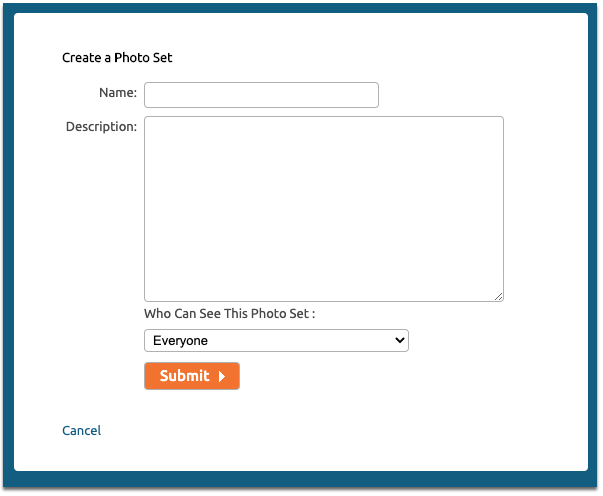
Chaturbate's Bio media controls allow uploads that are public, sold for tokens or restricted to Fanclub members. Everyone appearing in uploaded media must be age verified on the account, and the help page warns that copyrighted music can be muted. Choose content and audio you have the right to publish. Follow the official upload instructions ↗ rather than assuming every new upload inherits your last access setting.
Before submitting, check the actual file, cover, title and access choice together. Keep a public teaser separate from the full member release so there is less chance of exposing the wrong file. A teaser can show the visual theme and explain what the complete collection contains without duplicating it. Use clear language such as October studio set rather than an ambiguous file number.
After upload, verify playback and how the item appears in the media list. If a video fails, note the file format, size, browser and exact error before retrying. Chaturbate recommends common formats such as MP4 and current Chrome, Firefox or Safari in its upload troubleshooting guide ↗. Change one factor at a time so you can identify what fixed the problem.
- Correct file and finished cover.
- Specific title and useful description.
- Intended public, paid or Fanclub access.
- Playback and visible listing checked after publishing.

Choose a price from the offer and workload
Begin with the package you can deliver, then evaluate a price. Ask what is available on the first day, how often you add material, how much work each release requires and what your existing audience has shown interest in. Another creator's price is not evidence that their offer, audience and production costs match yours. Avoid copying a number without understanding the work behind it.
Use scenarios rather than a confident forecast. For a hypothetical 200-token monthly price, compare what happens with five, ten or twenty paying members. Then place the production hours beside those scenarios. A plan that is comfortable at twenty members may be too demanding at five. You can reduce the promised scope before launch instead of hoping a large membership appears immediately.
Do not change prices impulsively after one slow week. Keep a record of the offer, the date and the reasons for a change. Before announcing a new price, check how Chaturbate will apply it to your existing memberships; do not assume every subscriber moves to the new amount at once. If the interface or help information is unclear, obtain an answer from support first.
Understand monthly value and money received
Chaturbate publishes a broadcaster conversion of $0.05 per token. This is the broadcaster value, not the purchase price every member pays for tokens. At a hypothetical 200-token monthly membership, one member represents $10 of monthly broadcaster value. Twenty paying members represent 4000 tokens, or $200, before taxes, production expenses and applicable payout costs. The conversion comes from Chaturbate's income guide ↗; the member count and price are illustrative assumptions.
Separate the membership period from the date tokens arrive. In that same example, a three-month token payment is 600 tokens, or $30 in broadcaster value, for three months of membership. It is not an unexpected $30 monthly recurring result. Put the period next to the receipt in your records so advance payments do not make one month look artificially successful.
For an editorial budgeting example, suppose you choose to value five hours of production time at $15 per hour and spend $25 on materials. That is a $100 internal monthly budget. At $10 per member, ten members match those assumed costs before other expenses. This is simple planning arithmetic, not a profitability prediction or tax advice. Substitute your real costs and review whether the workload is worthwhile.
| Paying members | Monthly tokens | Broadcaster value before costs |
|---|---|---|
| 5 | 1,000 | $50 |
| 10 | 2,000 | $100 |
| 20 | 4,000 | $200 |
Build a small system you can maintain.
Use a calendar that fits around your streams
Build the next month around one main release and a small supporting update. In week one, choose the theme and prepare the shot list. In week two, produce the collection and select the cover. In week three, publish the finished release and mention where members can find it. In week four, review feedback and prepare the next theme. This is an example workflow, not a requirement to publish every week.
Create a buffer before you need it. A finished spare photo set or short diary can cover an unusually busy period, provided it matches what you promised. Do not call material new if it is a repost without saying so. Keep the calendar realistic enough that streaming, editing and rest can coexist. Consistency becomes easier when the plan includes preparation time rather than only publication dates.
If you need to change the cadence, communicate early and describe what remains available. Avoid promising a replacement release until you know you can finish it. A brief, specific update is more useful than a long apology followed by another uncertain deadline. Keep the bio's membership section synchronized with the actual plan so new subscribers receive the same explanation as existing members.
- Plan the theme and scope.
- Produce and review the files.
- Publish and point members to the release.
- Review feedback and prepare the next cycle.
Show the offer clearly in your bio and room
Create one compact Fanclub block in the bio with a recognizable cover, the main benefit, the update rhythm and a clear joining action. Visitors should not need to read your entire profile to locate it. Place the offer near information that explains your personality, and keep the artwork consistent with the rest of the page. Our profile-design guide explains how to make these choices readable on a phone.
When mentioning membership during a stream, point to something finished: The new studio set is in the Fanclub library. That is more concrete than repeating please subscribe. A public preview can communicate the theme while the bio explains the ongoing offer. Leave people room to decide without turning every conversation into another membership pitch.
Keep the joining path easy to test. Open the profile at desktop and phone widths, locate the button, read the nearby conditions and check the destination. If a visitor asks the same question repeatedly, improve the sentence that should answer it. You can learn from that friction without inventing a conversion percentage or adding more promotional panels to an already crowded page.
Review retention without guessing at the cause
At the end of each month, record the active member count, new joins, departures, releases published and production hours. Keep notes about price changes, time away and any unusually popular session. These observations help you understand the workload and the audience together. Do not treat a single cancellation as proof that the entire content plan failed.
Ask focused questions when feedback is welcome: which theme would members enjoy seeing again, or was the latest release easy to find? Avoid asking people to design your whole business for you. Compare feedback with what you can comfortably produce. A requested benefit may be attractive to one person but unsuitable as a permanent promise to every member.
Set a review date for the offer itself. If the library is growing but the description still lists the original launch items, update it. If a promised perk is no longer workable, explain the change before presenting a revised package to new people. Membership should stay understandable as it develops, rather than becoming an accumulation of old promises spread across chat messages and graphics.
Launch a membership you can keep running
Read the offer as a person arriving today. Can they identify the current library, the next update and the price without asking for a personal explanation? Do the covers look connected? Are the access settings correct? Is your content promise compatible with your normal month? These checks matter more than adding another benefit simply to make the list look longer.
Keep your first review small and practical. If publication took twice as long as expected, simplify the production process. If members could not find the release, improve the title or profile instructions. If the schedule worked smoothly, keep it long enough to gather useful observations. Build the next version from the work you can repeat and the experience members actually receive.
LCD · FREQUENT QUESTIONS
FREQUENT QUESTIONS
What should I include in a Chaturbate Fanclub?
Start with a clear, manageable promise: a useful existing library, a realistic update rhythm and an accurate description of any additional benefits. A themed photo collection and short studio diary are examples you can adapt to your identity.
Can photos and videos be exclusive to Fanclub members?
Yes. Select the Fanclub access option for the intended media and check the published result. Keep public previews separate from the complete member release so the two files are easy to distinguish.
How should I choose my Fanclub price?
Compare the scope of the offer with your production time and costs. Test several hypothetical member counts at a chosen price rather than assuming a large audience. Confirm the available platform options before publishing the offer.
Does Fanclub membership include unlimited personal replies?
The ability to initiate messages should not be confused with a promise of instant or unlimited replies. Describe your availability and any extra services clearly, and offer only a workload you can maintain.
Sources & further reading
- Chaturbate — What is a fan club membership? ↗
- Chaturbate — Start a Chaturbate Fan Club ↗
- Chaturbate — Upload Content ↗
- Chaturbate — How do I upload photos and videos? ↗
- Chaturbate — Increasing Your Income ↗
Platform features can change. Check the current settings in your account.